todo
< Projects
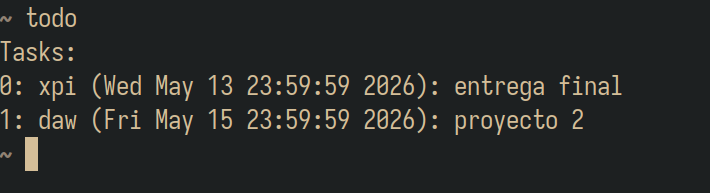
todo is a simple to-do list for the terminal. You add tasks with dates and retrieve them later by time frames, like a week. It has been replaced by tui-do.
Installation
Check the defaults in options.h first.
$ git clone https://github.com/hugoocoto/todo
$ cd todo
$ make install    # to ~/.local/bin
It is also available through the pm user repository.
Note If
make install fails with Text file busy, stop
the daemon with todo -die and run it again.Usage
$ todo -help
HTTP task viewer
todo -serve starts a daemon that serves the tasks over
HTTP and prints its address:
$ xdg-open $(todo -serve)
The CSS can be changed without restarting the server.
See also
- Source code (GPL-3.0)
Categories:
- Tools and applications